IG Hero · Shadowban & Reach Recovery · 2026 Edition
Your Instagram Reach Didn't Just "Drop" —
Here's What's Actually Happening
The complete 2026 guide to diagnosing a shadowban, understanding why it happened, and fixing it — step by step, no guesswork.
⚡ Quick Take — What You Need to Know
What's in this guide
If you've landed here, something feels off with your account. Your reach has quietly tanked. Hashtag traffic disappeared overnight. You're putting up the same quality content you always have — and suddenly, nobody's seeing it.
Here's the thing I want to say upfront: "shadowban" is the most overused word in the Instagram creator vocabulary. People slap that label on anything — a bad week, an algorithm shift, content that simply stopped performing. One is a penalty. The other is feedback. And if you can't tell the difference, you'll waste weeks fixing the wrong problem.
So before you blow up your content strategy and start over — stop. Read this first. Then run the checks.
Want the fastest answer?
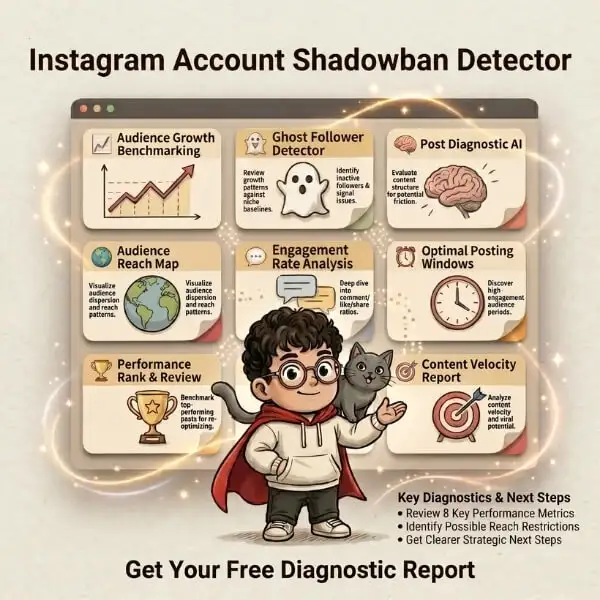
The IG HERO Shadowban Detector tells you whether your account is actually restricted — and exactly what to fix next. No guesswork. No wasted weeks.
Run the Free Shadowban Detector →What Is an Instagram Shadowban?
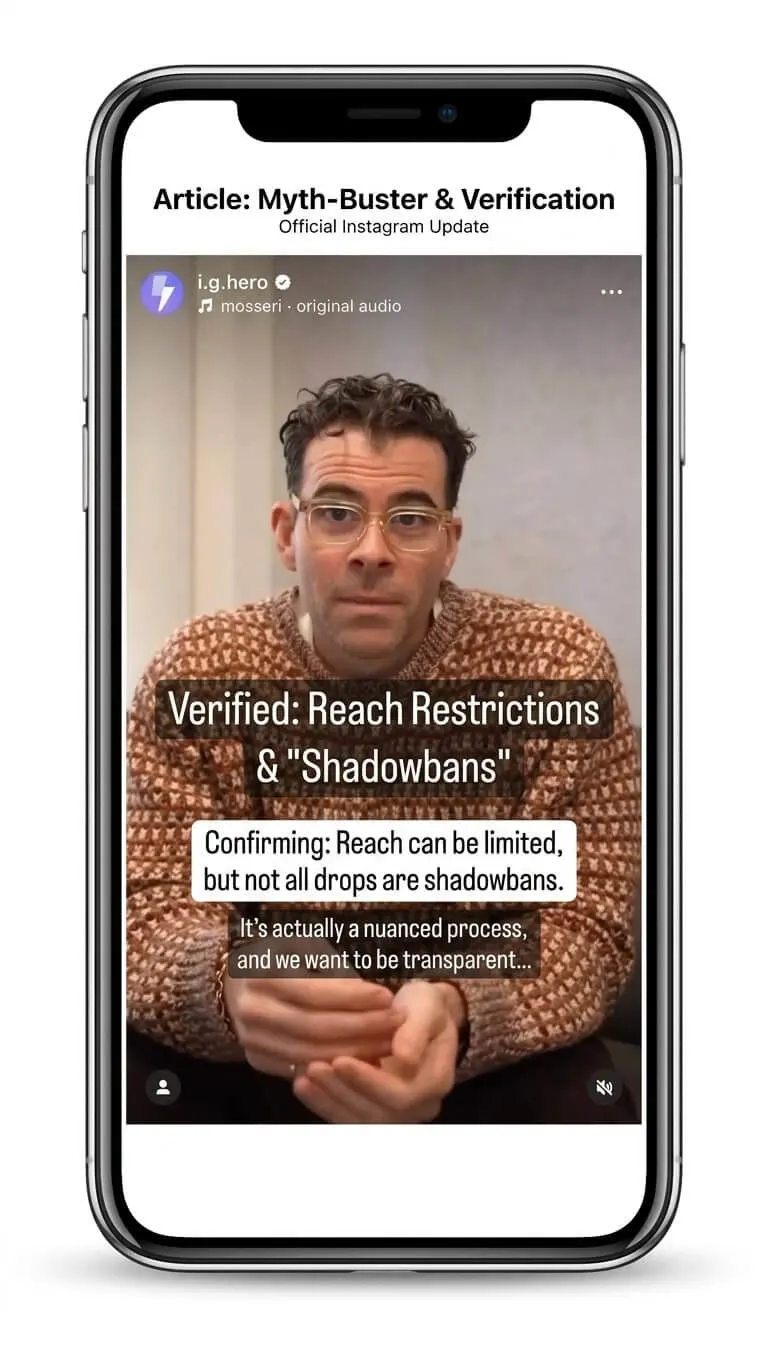
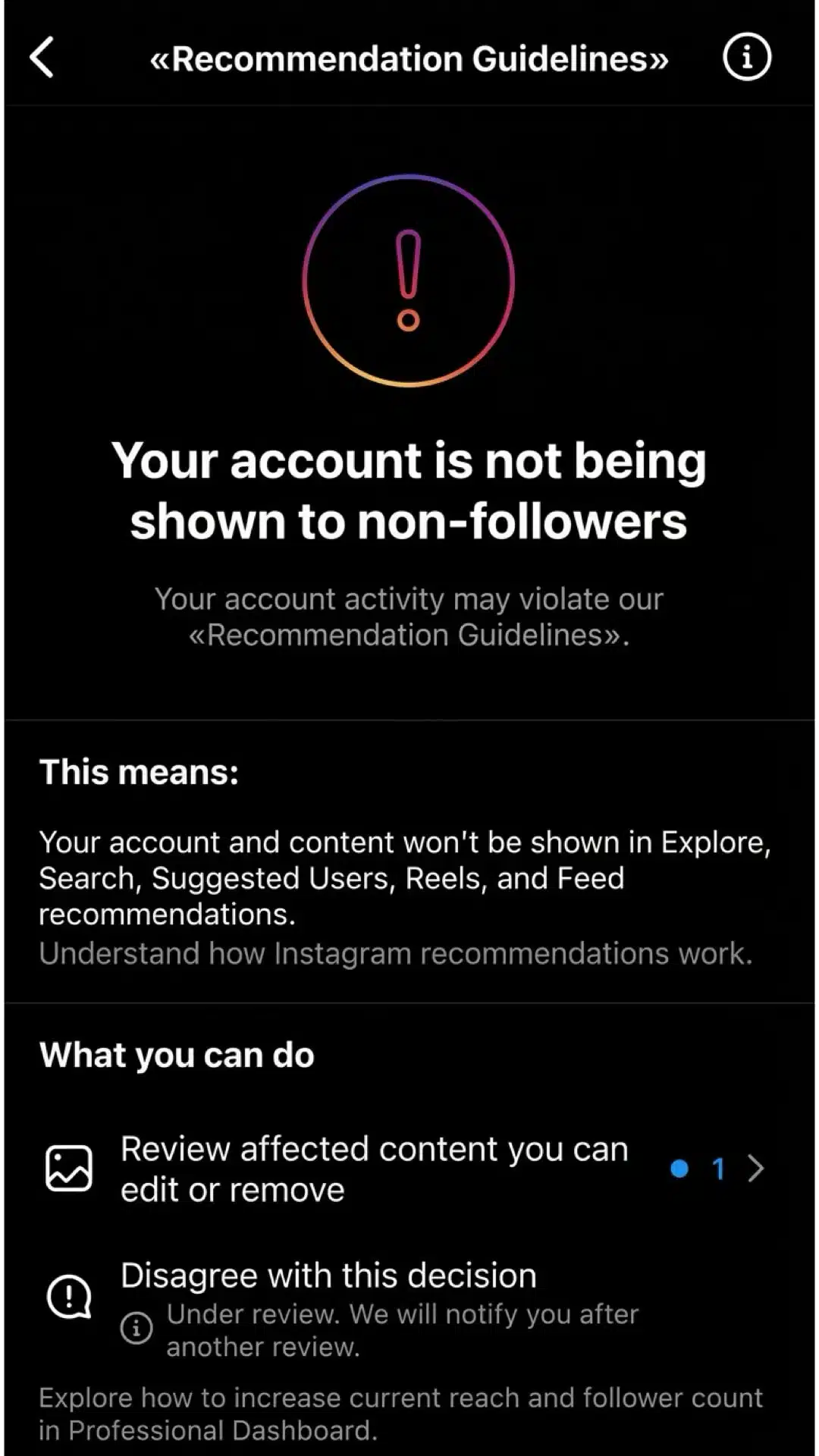
Instagram will never call it a "shadowban." They prefer terms like "recommendation eligibility," "content distribution," and "Account Status" — bureaucratic language designed to obscure a simple reality.
Here's what it actually means: your content is still live, you can still post, your profile looks completely normal — but the discovery engine has gone silent.
Reach and views in freefall
Not just a bad week. A persistent, unexplained decline across multiple posts and formats.
Explore and Reels go dark
Your content stops being recommended to non-followers — the platform's discovery engine quietly cuts you off.
Non-follower reach collapses
Your existing audience might still see you, but growth flatlines. New followers slow to a trickle — then stop.
Everything looks normal — except the numbers
That's what makes it disorienting. Nothing looks broken from your end. But somewhere behind the algorithm, a quiet decision was made.
The important distinction
Instagram does not need to fully ban your account to reduce your reach. Sometimes the issue is obvious — Account Status shows a warning. But more often, Instagram simply stops recommending your content to people who don't already follow you. Instagram's own Help Center confirms that "not all content is eligible to be recommended." That's the mechanism creators usually mean when they say "shadowban."
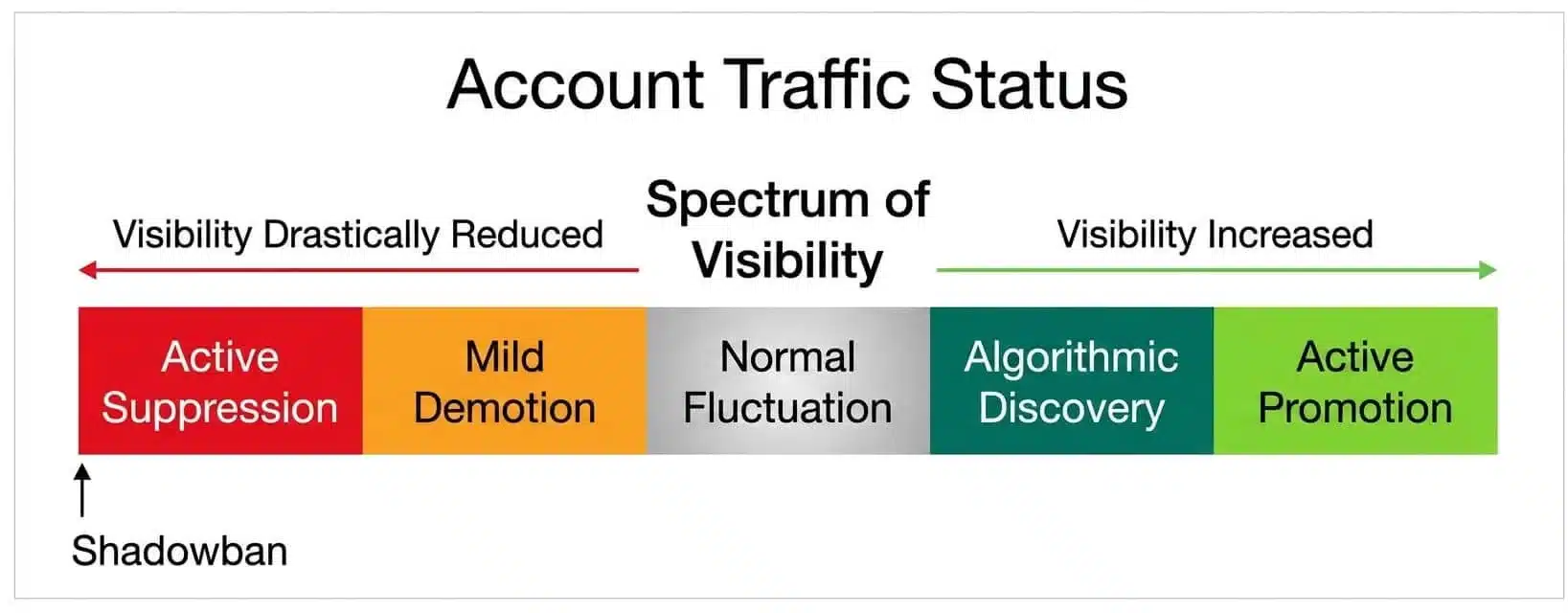
Think of Instagram visibility as a spectrum: normal distribution → reduced recommendations → post-level suppression → severe restriction. A full account ban is obvious. You know when you've been removed. A shadowban is different — and it's different precisely because you keep posting, keep wondering, and the reach never comes back.
How Do I Check If I'm Shadowbanned on Instagram?
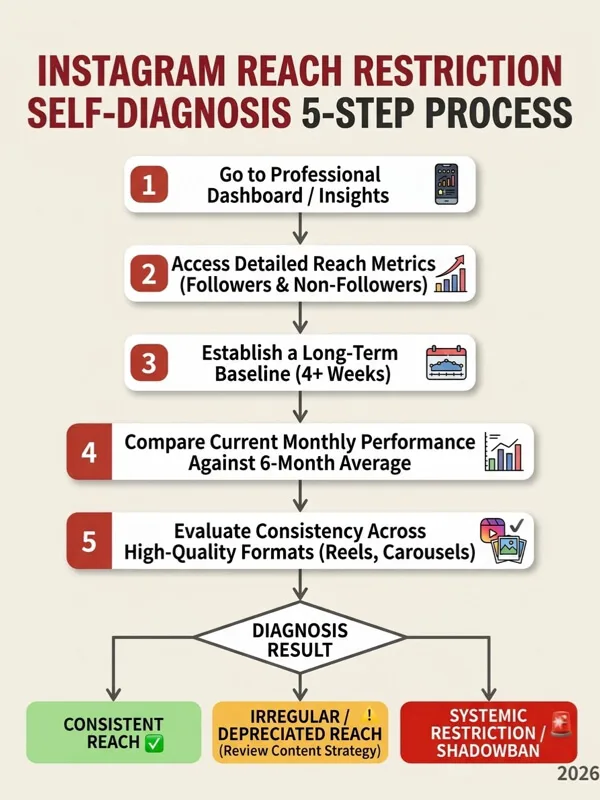
Start with Instagram's own Account Status, then verify with your reach data. The most reliable DIY diagnosis combines three signals: official status, non-follower reach trend, and post-level visibility. Here's how to do each one.
Check Account Status manually
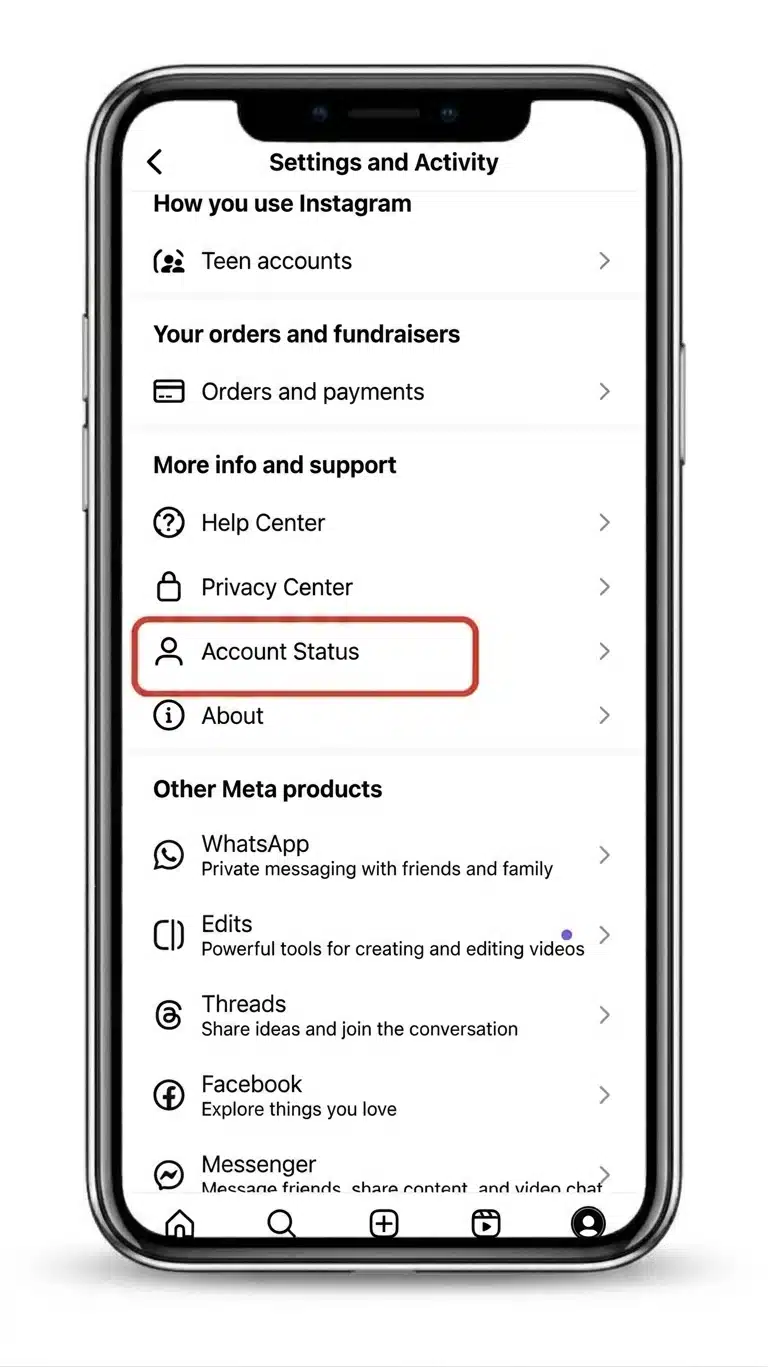
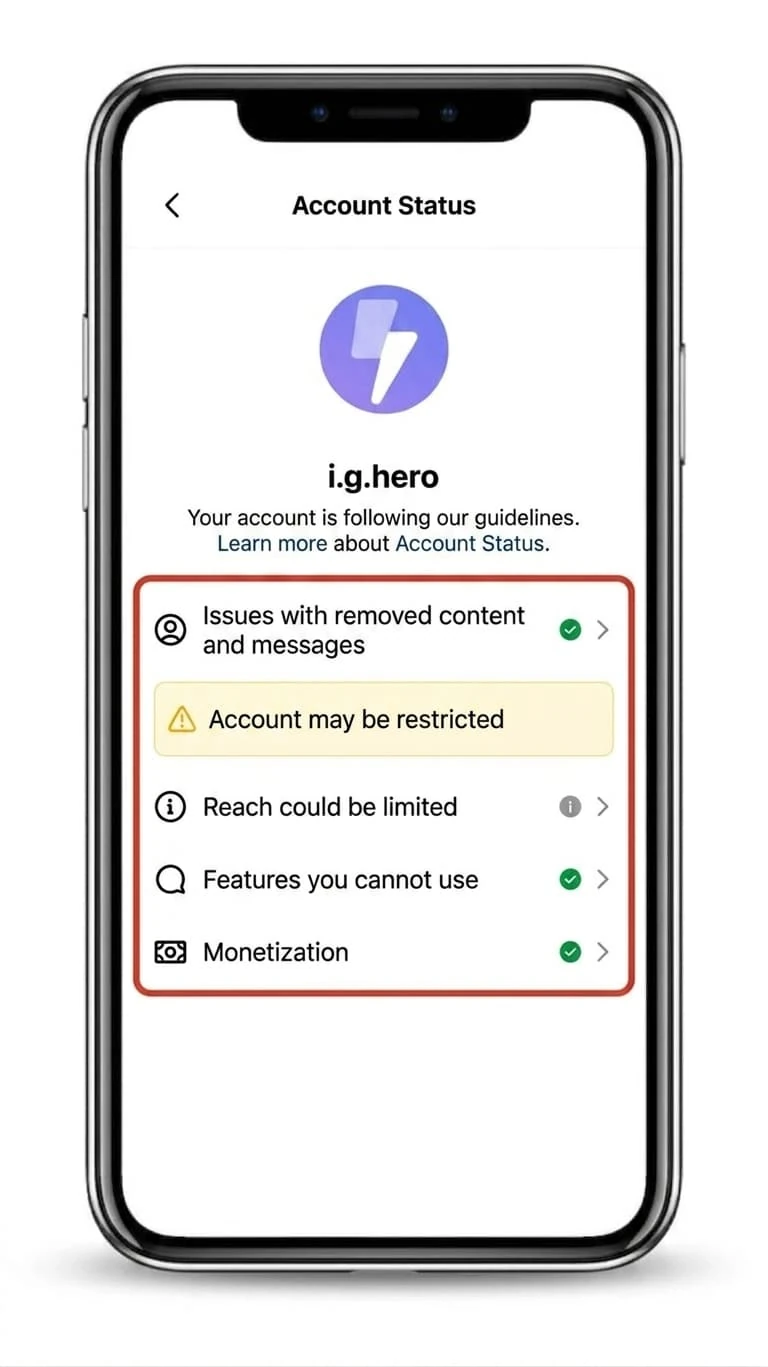
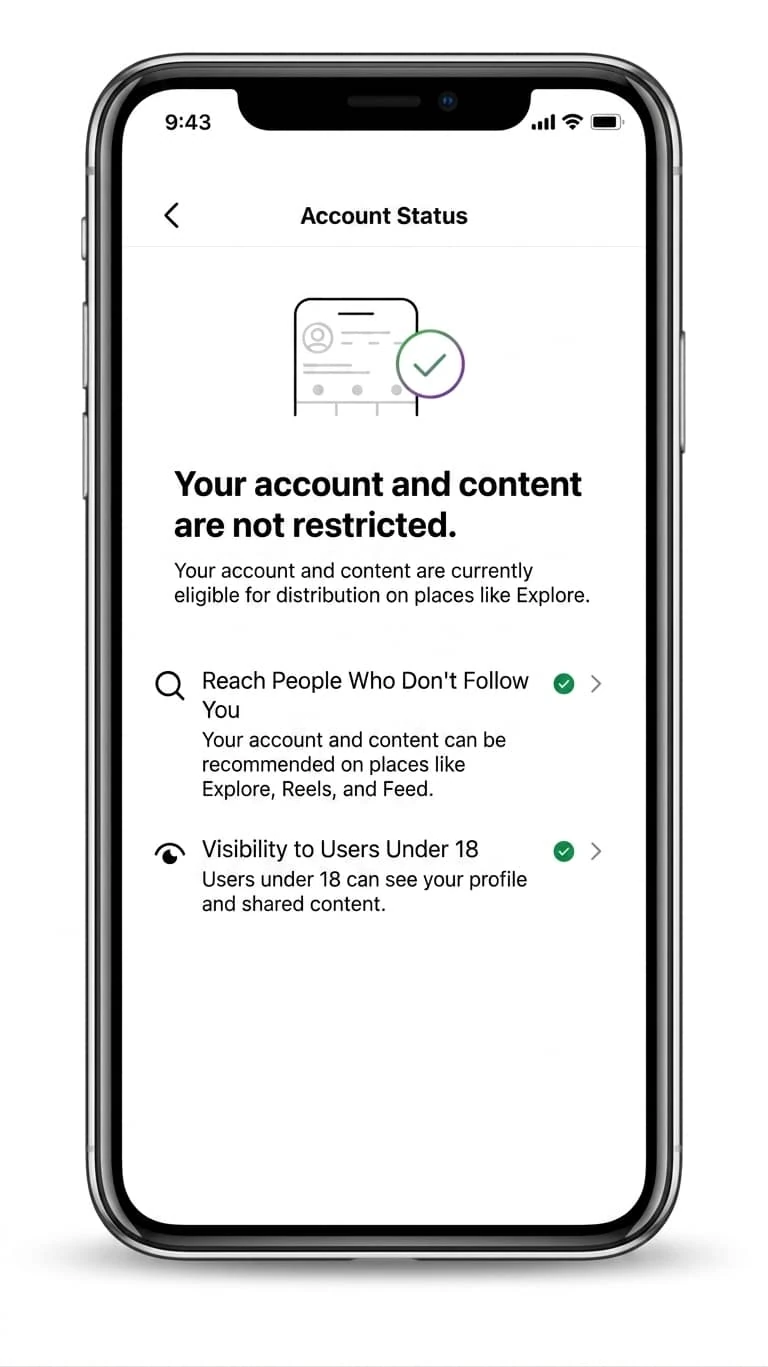
Go to: Profile → Menu → Settings and activity → Account Status. Look for anything flagged: removed content, content lowered in feed, recommendation eligibility issues, features you can't use, or monetization warnings. If Instagram shows a flagged post or account issue, deal with that first — remove or edit the problem content, then use the review/appeal option Instagram offers.
Check your non-follower reach trend
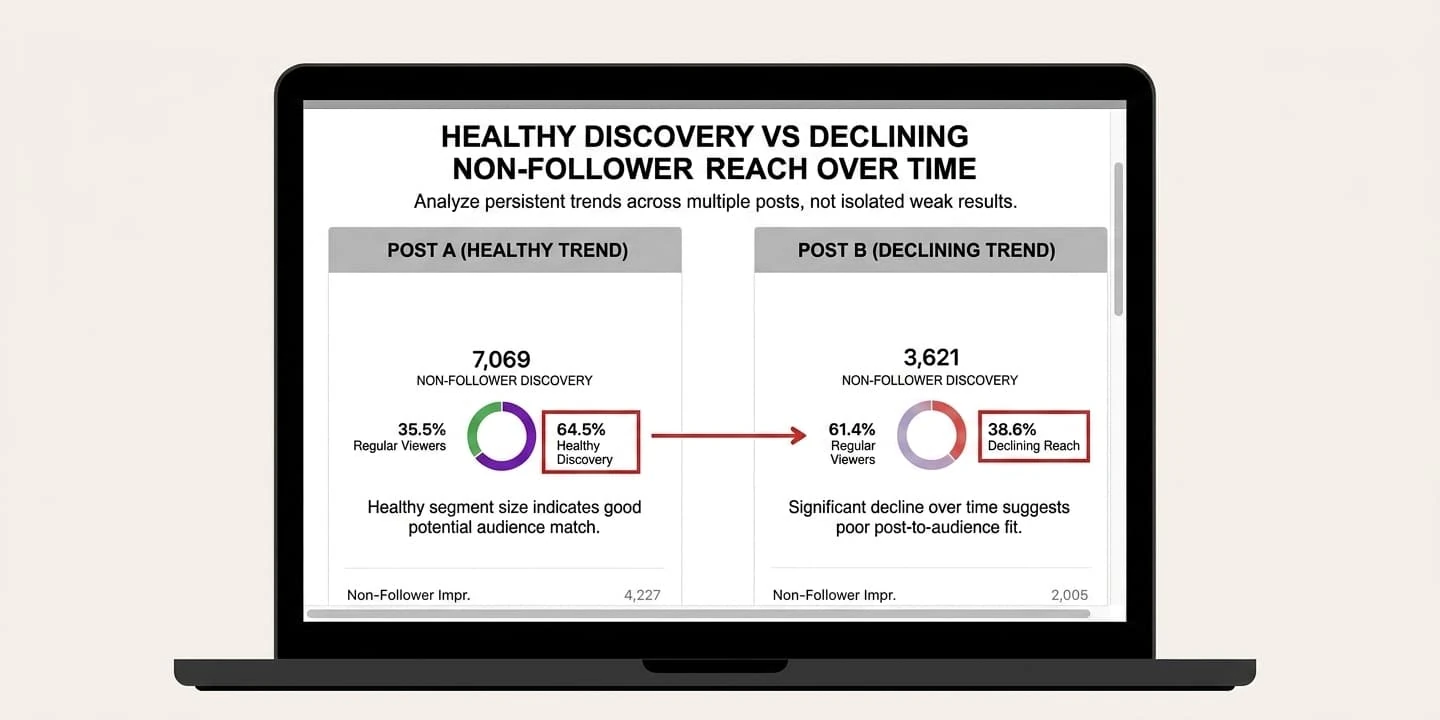
If you have a professional account, go to Insights and compare recent posts. Focus specifically on: reach from followers vs. non-followers, Explore and Reels discovery sources, search discovery, and the 2–4 week trend — not one bad post. One weak Reel is not a shadowban. Three to five consecutive posts with declining non-follower reach is a genuine warning sign.
Check whether only one format is affected
This is where most creators misdiagnose the problem. Ask yourself: Are Reels down, but Stories and carousels normal? Are only posts with certain hashtags affected? Did reach drop after a guideline warning, an automation tool, or a topic change? A real restriction usually has a trigger. A content performance drop usually has a pattern.
Run the IG HERO Shadowban Detector
Every method above gives you a signal. This one gives you a diagnosis. The detector doesn't just check one variable — it reads your account like a health report. It tells you whether you're actually restricted, what type of restriction you're dealing with, and the exact path to fix it. No guessing. No testing in the dark.
⚠️ A note on the old hashtag test: The widely-shared method of checking your own post under a hashtag to see if it appears is no longer reliable. Instagram's 2026 infrastructure changes have made this test largely inaccurate. Don't use it as your primary diagnostic. Stick to Account Status + non-follower reach trend.
Is It a Shadowban — or Just Bad Reach?
Before you spiral, get honest about what you're actually seeing. Your reach dropped. Hashtags stopped working. Explore and Reels feel dead. Account Status looks clean — but nobody new is finding you.
"Shadowban" and "bad reach" are not the same problem. And treating one like the other is how creators waste weeks going nowhere. Run this quick diagnostic before you do anything else:
Does Account Status show a warning?
Yes → Treat it as a real restriction. Act accordingly. No → Keep going to the next check.
Did non-follower reach drop to near zero — across multiple posts?
Yes → Possible recommendation or visibility restriction. Investigate further. No → Likely a normal performance dip.
Did the drop follow risky behavior?
Automation. Mass follow/unfollow. Bought followers. Banned hashtags. Guideline-sensitive content. Yes → Possible restriction. No → Keep going.
Did your content change recently?
New topic. Weaker hook. Lower watch time. Inconsistent niche. Yes → This is probably an algorithm fit problem, not a shadowban. No → Run post-level checks and monitor closely for 7–10 days.
What bad reach actually looks like
It's messy and inconsistent. One post tanks, another scrapes by. Followers still engage — but growth has stalled. Non-follower reach is fluctuating, not consistently collapsing. Reels retention is weak. Saves and shares have quietly dried up. Your content direction shifted, even slightly.
That's not a shadowban. That's your content losing signal. And the fix isn't waiting — it's the first three seconds of your Reel. It's your hook. It's whether your content still clearly belongs to a niche the algorithm can place. Don't burn two weeks "waiting out a shadowban" when the real problem is your content stopped earning attention.
What an actual shadowban signal looks like
This one is cleaner, more consistent, harder to explain away. Multiple posts flatline with non-followers — not just one. Search visibility vanishes completely. Explore and Reels recommendation sources disappear from Insights. Account Status flags a problem, or a post was recently removed. The drop began immediately after spam-like behavior or a risky third-party tool.
When the pattern is that clean — stop optimizing content.
You don't have a reach problem. You have an account problem. And those require a completely different fix. This is when you switch from content optimization to account cleanup — and the steps in the next section are your roadmap.
What Causes an Instagram Shadowban?
Most shadowban cases come from signals that make the platform less willing to recommend your content — guideline issues, spam-like behavior, automation, suspicious engagement, repeated hashtags, or content Instagram considers unsuitable for recommendation. Not every trigger is a deliberate violation, but each one can reduce distribution significantly.
| Trigger | Why it hurts reach | What to check |
|---|---|---|
| Community guideline issues | Instagram may lower or remove violating content | Account Status + recent removed posts |
| Recommendation-sensitive content | Content can be allowed but not recommended | Instagram's recommendation guidelines |
| Automation tools | Bots and auto-engagement look spammy to the system | Connected apps + login history |
| Mass follow/unfollow | Triggers spam detection thresholds | Recent activity spikes |
| Repeated comments or DMs | Looks like automated outreach | Comment and DM patterns |
| Banned or low-quality hashtags | Can limit post discovery on those surfaces | Last 10–20 posts |
| Buying followers or likes | Pollutes audience quality and trust signals | Follower quality + engagement mismatch |
| Reusing the same hashtag block | Looks mechanical — a spam pattern the algorithm recognizes | Caption templates across your last 20 posts |
If you've been using engagement pods, bots, or cheap growth services — stop there. That is not "growth hacking." That is pouring sand into the engine. Cleaning up after these services takes longer than the "growth" they provided.
The Hashtag Trap
Hashtags are not magic anymore, but they still help Instagram understand context. The problem is when creators treat them like a copy-paste growth button. Using the same repetitive hashtags on every post, broad spammy tags unrelated to the content, or tags that are full of flagged content — all of these send signals you don't want to send.
Use 3–5 relevant niche hashtags. Rotate sets based on content pillar. Test them first by checking that they still show normal, active results in search.
The "Content Is Allowed But Not Recommended" Problem
This is the sneaky one. Instagram can allow content to stay live while still limiting where it gets recommended. That means your post may not be removed — but it may still fail to reach non-followers. This is why Account Status and recommendation eligibility matter far more than old-school hashtag visibility tests.
How Do I Fix an Instagram Shadowban?
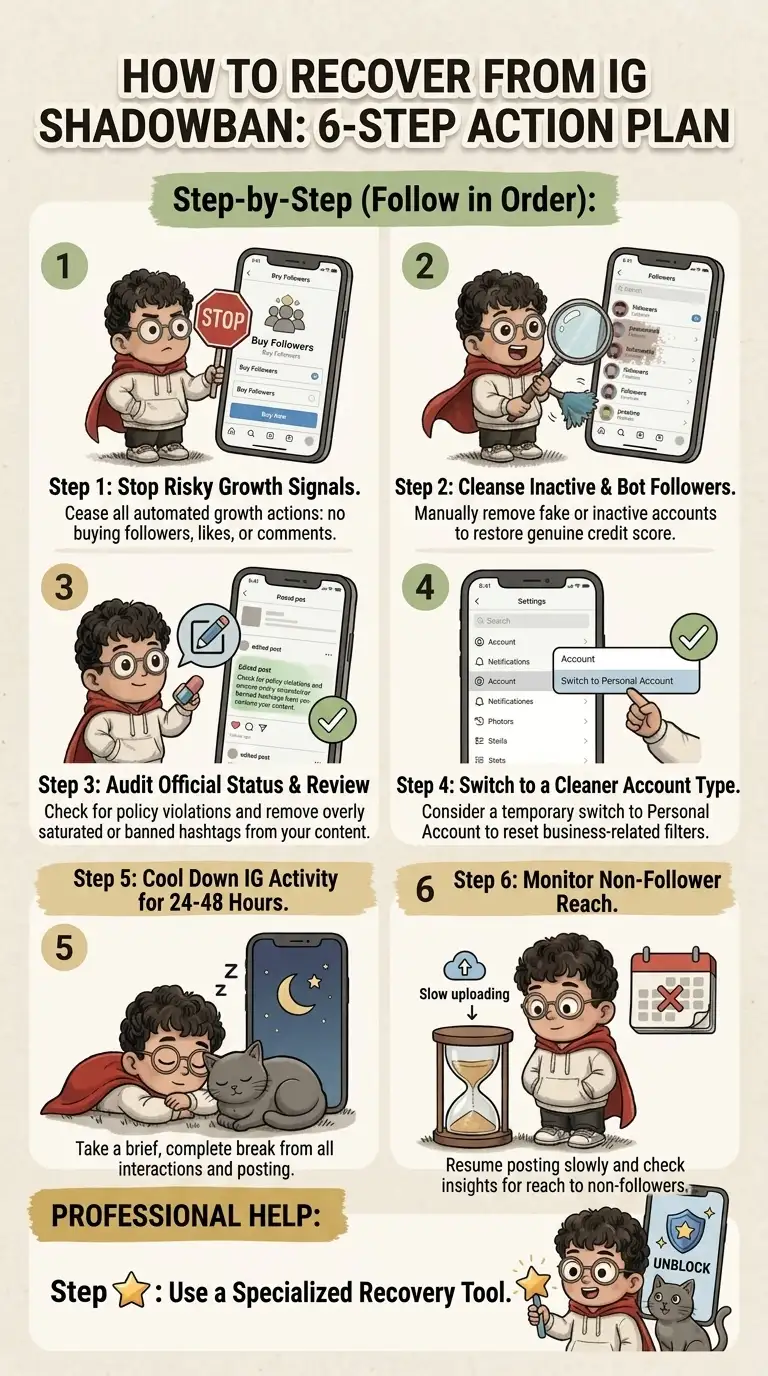
Recovery is a cleanup process, not a posting sprint. I want to be direct about that. The instinct when reach drops is to post more — more Reels, more Stories, more everything. That is almost always the wrong move. Here's the actual sequence that works.
Day 1 — Stop the bleeding
Halt all risky activity — right now
Stop follow/unfollow activity. Stop mass liking, commenting, or DMing. Pause automation tools. Stop buying followers, likes, saves, comments, or views. And do not publish five posts to "force reach back." The goal of Day 1 is simple: start looking normal again.
Days 1–2 — Check official status
Go to Account Status and handle anything Instagram flags
Remove or edit clearly risky content. Request a review if you believe Instagram made a mistake. Screenshot everything so you can track changes. Check whether recommendation eligibility is affected. If there's a flagged item, deal with it before doing anything else.
Days 2–3 — Disconnect risky third-party apps
Review and remove every connected app you don't recognize
Go to Instagram/Meta settings and audit connected apps. Remove anything that automates likes, follows, comments, or DMs — or that promises "guaranteed growth." Then change your Instagram password. This forces most unauthorized sessions to disconnect automatically.
Days 3–4 — Audit recent posts
Go through your last 10–20 posts with fresh eyes
Look for: repeated hashtag blocks, sensitive claims or risky wording, copyrighted content you don't have rights to use, engagement-bait captions, giveaway mechanics requiring follow/like/comment spam. You don't need to delete everything — fix obvious risks first.
Days 4–7 — Rebuild with safe, high-signal content
Post lightly and intentionally — quality over frequency
Use content that's on-niche, original, and easy to understand in the first 2 seconds. Prioritize content that earns saves, shares, replies, or meaningful comments. Avoid posts that lean on risky hashtags or tactics during this recovery window.
The recovery checklist
Before you call the shadowban fixed — confirm all of these
💡 Recovery is almost always gradual. If you expect one post to "prove" everything is back, you'll misread the data and make premature decisions. Give it a full week of clean posting before drawing conclusions.
How Long Does an Instagram Shadowban Last?
There's no official fixed timeline — and anyone who gives you an exact number is guessing. What I can give you is a realistic benchmark based on what we've seen across thousands of accounts.
| Situation | Typical recovery expectation |
|---|---|
| One bad hashtag or post issue | A few days after editing or replacing the risky elements |
| Spam-like activity spike | Several days to two weeks after stopping the behavior |
| Automation or third-party tool issue | One to several weeks after disconnecting and normalizing activity |
| Guideline or account-level restriction | Depends on review outcome and severity of the violation |
| Low engagement misdiagnosed as shadowban | No fixed timeline — requires content strategy improvement, not waiting |
The worst move is waiting without changing anything. If Instagram restricted your account because of a specific trigger, time alone may help — but only after the trigger is actually gone. If reach dropped because your content signals weakened, time alone does nothing.
When to stop waiting and escalate
Escalate your diagnosis if: Account Status still shows a restriction after you've fixed the underlying issue. Non-follower reach is near zero across 2–4 consecutive weeks. You genuinely cannot identify the trigger. Your account supports a business and revenue is being affected. You keep getting action blocks or login security warnings.
At that point, you need a deeper account audit — not more random tips from social media forums.
How Do I Prevent Another Shadowban?
Preventing a shadowban means keeping your account recommendation-safe on an ongoing basis. The goal is not to trick the algorithm. The goal is to stop looking risky. Here's the system I'd put in place.
Weekly account health routine
10 minutes, once a week — do this every week
Safer hashtag rules
Use hashtags like labels, not lottery tickets. Keep them relevant to the specific post — not just your niche in general. Rotate sets based on content pillar. Avoid banned or broken tags. Never paste the same block across every post. And don't chase viral tags that have nothing to do with your content.
Safer growth rules
Avoid anything that creates fake engagement patterns. This means: no buying followers, no buying likes, no engagement pods, no auto-DM tools, no follow/unfollow software, no comment bots, no reposting stolen content. If your growth system would look suspicious to a human reviewer at Instagram — assume it looks suspicious to the algorithm too.
The content signal that matters most
Shadowban prevention isn't only about avoiding penalties. It's about giving Instagram a clear reason to distribute your content. For every post, ask: Who is this for? What problem does it solve? Why would someone save or share it? Is the first line or hook strong enough to stop a cold scroll? Does this reinforce my niche or confuse it?
The real long-term protection
Accounts that maintain clean follower quality, consistent engagement signals, and on-niche content don't just avoid shadowbans — they become the kind of accounts the algorithm actively wants to promote. The goal isn't to survive the algorithm. It's to build an account the algorithm has no reason to restrict.
Instagram Shadowban FAQ
Can Instagram shadowban you without telling you?
Yes — in the sense that your content can lose recommendation eligibility without Instagram using the word "shadowban." Account Status may show issues, but not every reach drop comes with a direct notification. Based on our observation, as of 2026 Instagram has been phasing out in-app restriction notifications. In reality, most shadowban cases receive no official notification at all.
Is there an official Instagram shadowban checker?
No. Instagram doesn't provide a tool called a shadowban checker. Account Status is the closest official place to review account and content issues. However, IG HERO is a Meta Technology Provider and its Shadowban Detector combines account signals, reach patterns, and issue diagnosis to give you an accurate picture — plus a clear, actionable fix path.
Do banned hashtags cause shadowbans?
They can cause post-level visibility problems, especially if a hashtag is blocked, spammed, or associated with unsafe content. But one bad hashtag doesn't mean your entire account is shadowbanned. Audit your last 10–20 posts for repeated or flagged tags, rotate your sets, and move on.
Should I stop posting entirely if I think I'm shadowbanned?
Pause aggressive activity — not necessarily all posting. If you have a clear spam or action block issue, take a short reset (2–7 days). If the issue is weak content performance, disappearing for weeks won't fix it. Post lightly with safer, higher-quality content while you clean up the account.
Does switching to a personal account fix a shadowban?
No, in most cases. Some creators try switching account types as a "reset" — it's a myth more than a fix. What you actually need to do is identify the underlying trigger and address it directly: Account Status issues, automation, spam patterns, risky hashtags, or weak content signals.
Can ads still work during an Instagram shadowban?
Sometimes — but we consistently find that shadowbanned accounts face significantly higher CPM and CPC costs, and ads tend to perform poorly. In severe cases, your ads show as "published" but the daily spend sits at $0. Diagnose the account before throwing budget at the problem.
How do I know I've actually recovered?
You're recovering when non-follower reach starts returning, recommendation sources reappear in Insights, hashtag and search visibility improves, and engagement quality normalizes across several consecutive posts. Don't judge recovery from one post — you need a 7–10 day trend to draw an honest conclusion.
Is an Instagram shadowban permanent?
Usually no — but it can feel permanent if the trigger remains in place. Remove the risky behavior, fix flagged content, rebuild normal engagement patterns, and monitor for 1–4 weeks depending on severity. If you've done all of that and reach hasn't returned, that's when you need a professional account audit.
The Bottom Line
An Instagram shadowban is real — but it's also not the answer to every bad week of reach. The most damaging thing you can do is let panic drive your decisions: spiraling into posting more, switching strategies every three days, or burning trust with your audience while you chase an algorithm you don't fully understand.
The real move is simple. Diagnose first. Clean up second. Rebuild third. Do it in that order, and you break the loop for good.
Stop guessing whether Instagram is hiding your content. Run the free IG HERO Shadowban Detector and get a clear answer — plus the exact solution path to fix it.
"Don't chase the algorithm. Build an account it has no reason to restrict."